How to Get Chamet on iPhone
Existing User
Already have a Chamet account? Simply download Chamet directly with the official iPhone link and enjoy the app right away.
Download Chamet for iPhoneLink not opening? Use the alternate download link
New User — Join as a Streamer
Don't have a Chamet account yet? Follow these steps:
Link not opening? Use the alternate download link
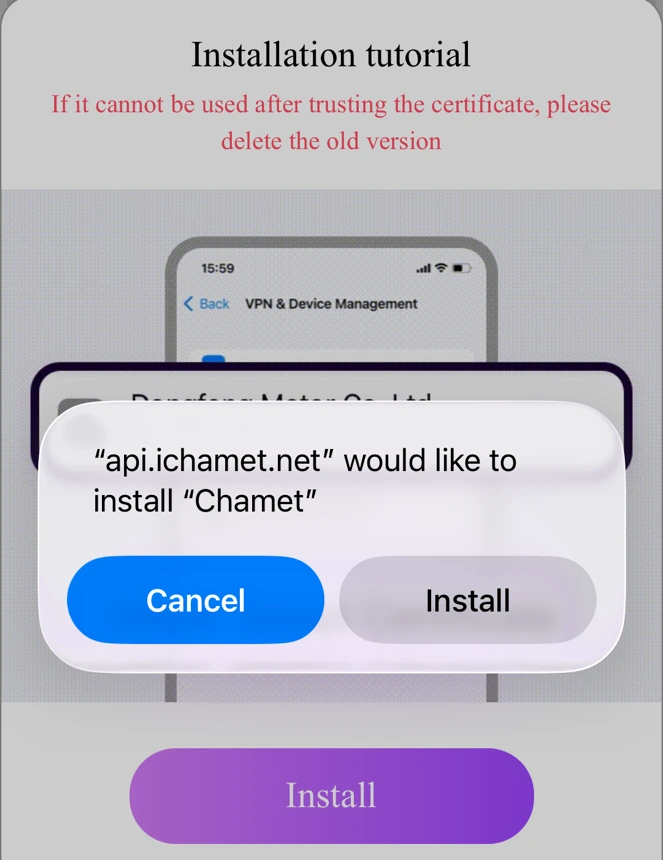
Tap Download & Install
On the Chamet download page, tap the Download button. A system prompt will appear saying "api.ichamet.net would like to install Chamet". Tap Install to begin.
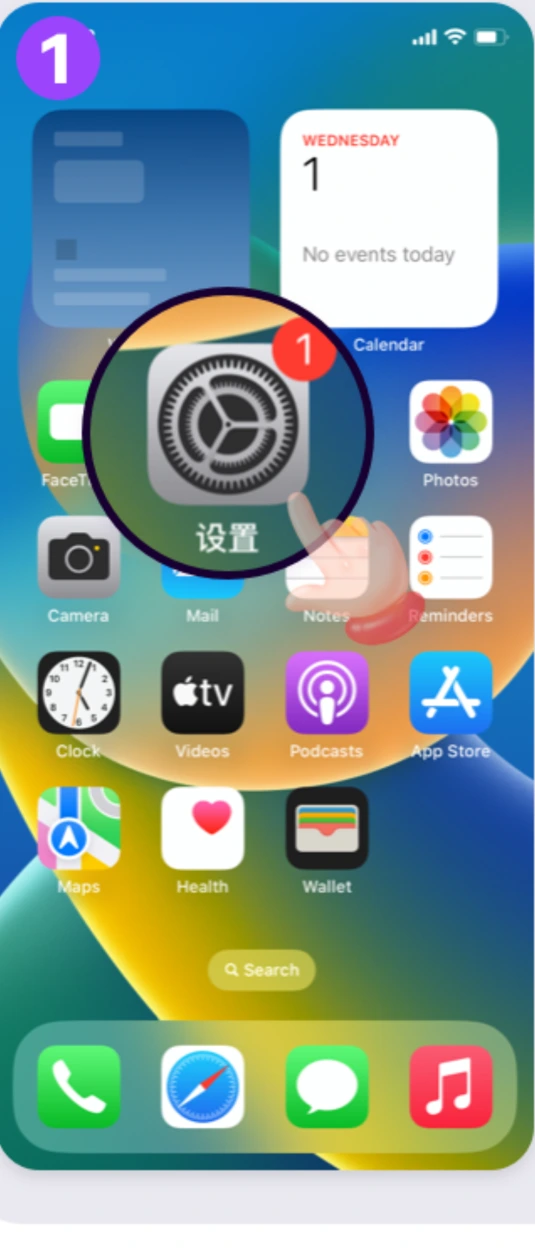
Open Settings
Once the app finishes downloading, go to your iPhone Home Screen and tap the Settings app.
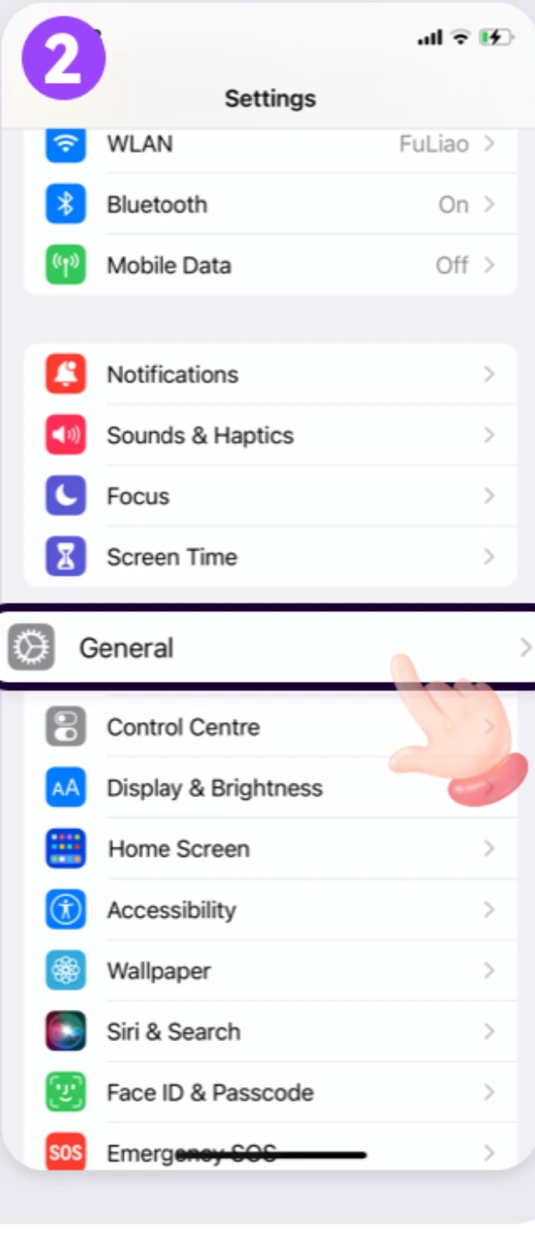
Tap General
Inside Settings, scroll down and tap General.
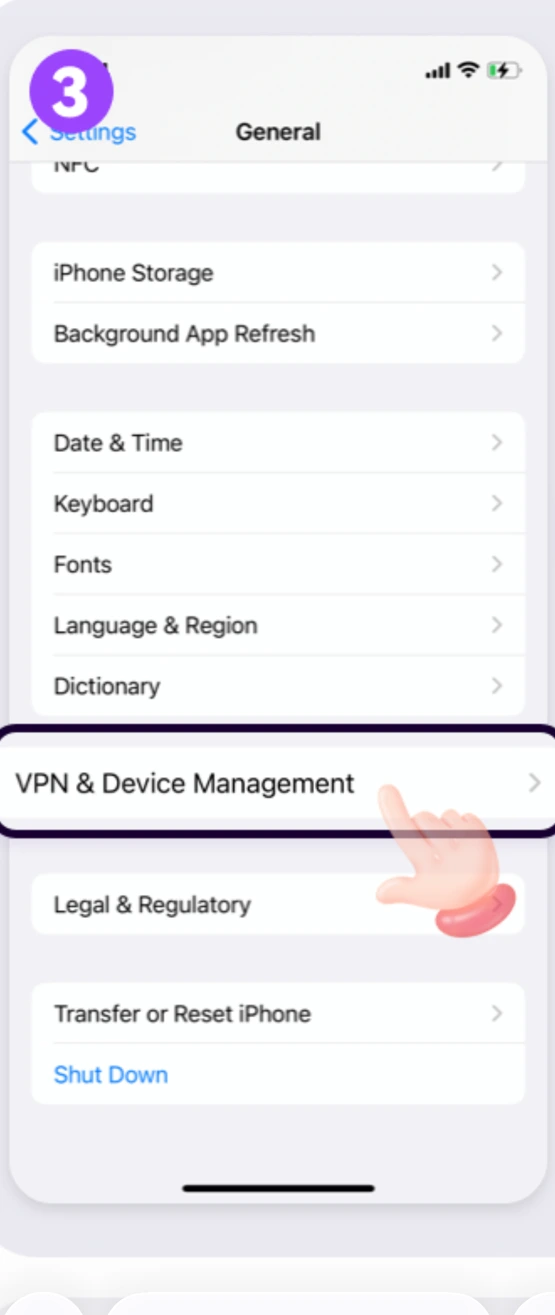
VPN & Device Management
Inside General, scroll to the bottom and tap VPN & Device Management.
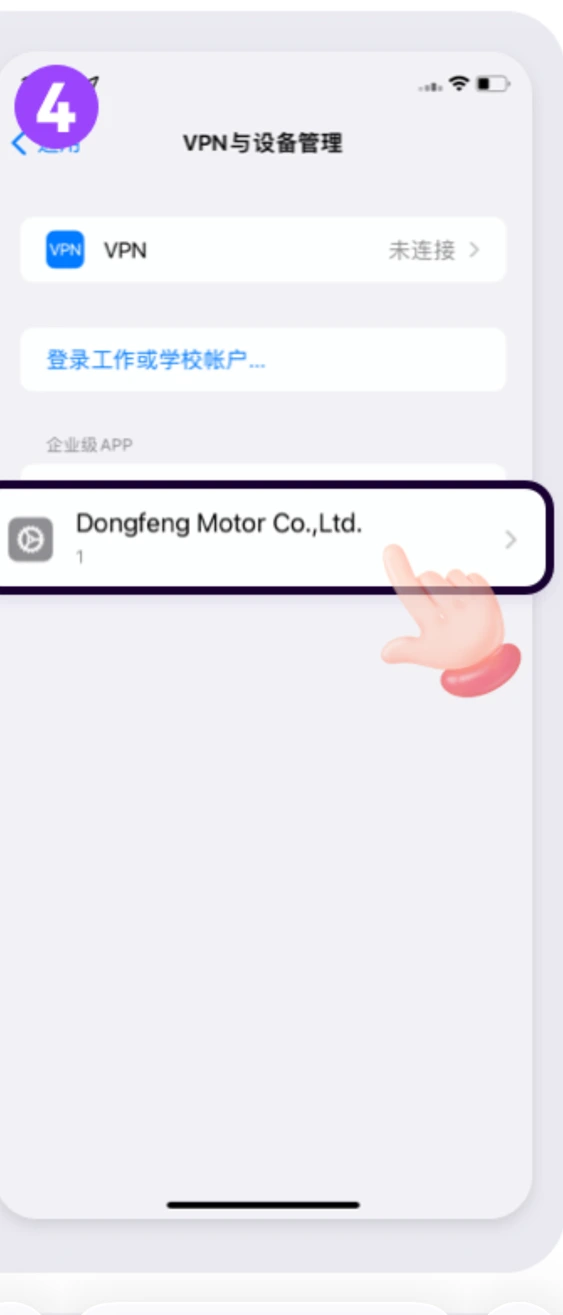
Select Developer Profile
Under Enterprise App, tap the developer name listed there (it can change over time, so it may differ from the screenshot) to open the developer trust profile.
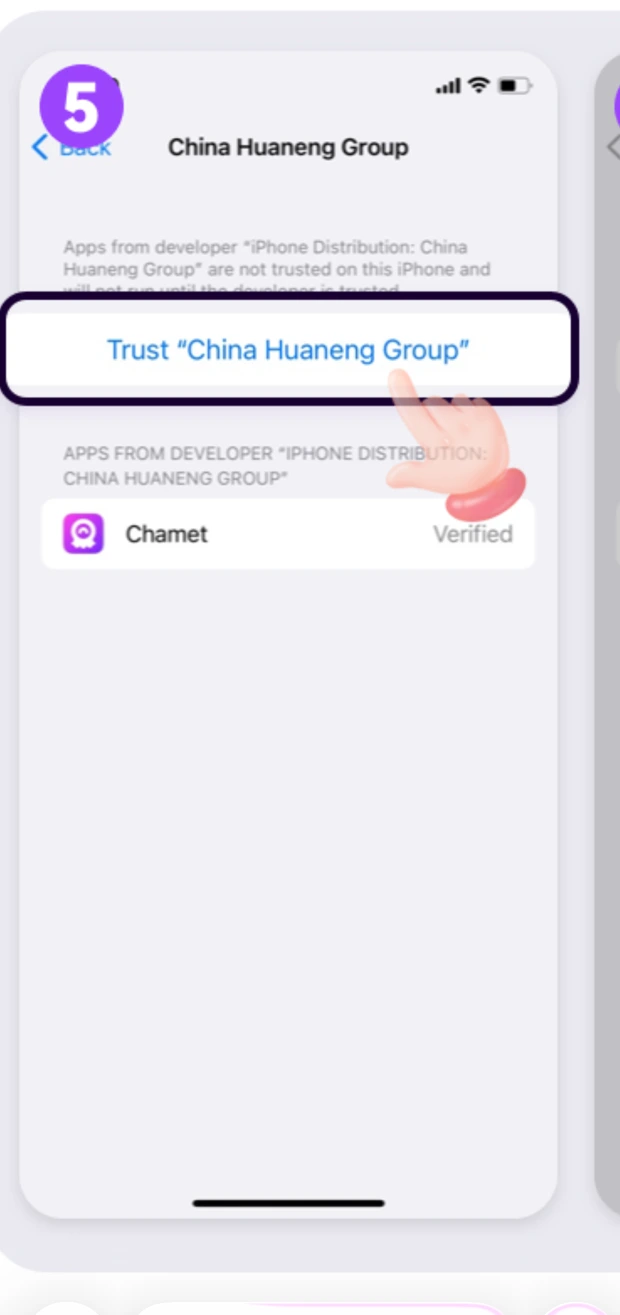
Trust the Developer
Tap the Trust link at the top of the screen (it shows the developer name you just opened) to start the trust process.
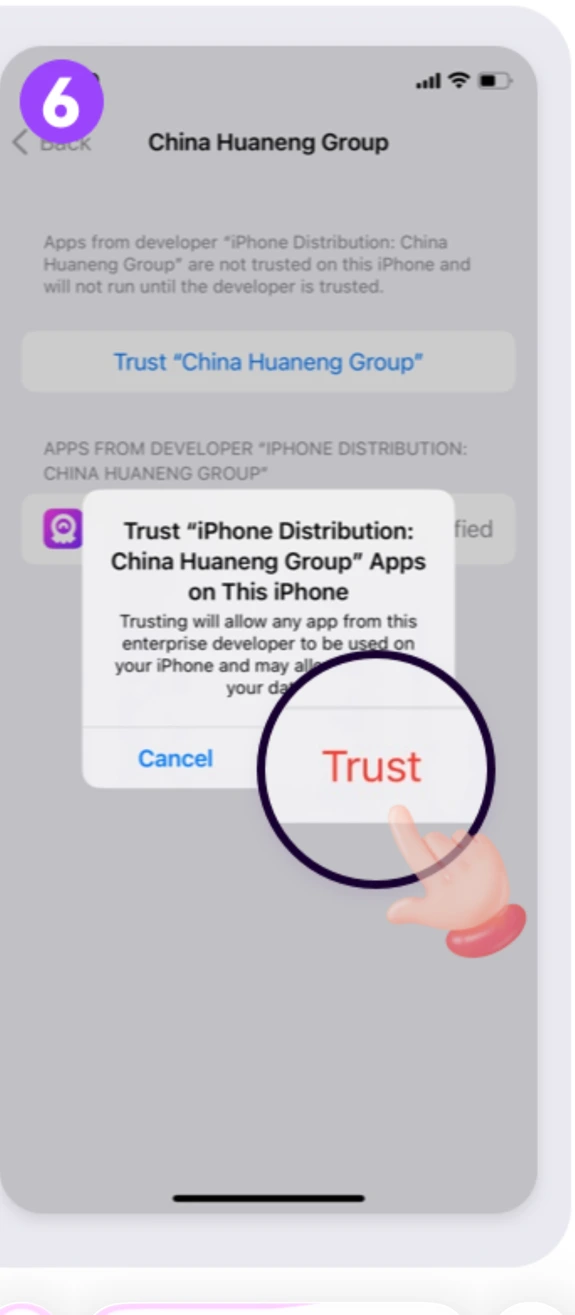
Confirm & Done!
A confirmation dialog will appear. Tap Trust to confirm. Chamet is now trusted and fully ready to use. Enjoy! 🎉
Ready to Start Streaming?
Join AllForYouAgencia after installing Chamet and start earning from day one.
Ready to join Chamet? Apply in 5 minutes.
Join 600+ streamers and 89 sub-agents already earning with AllForYouAgencia.
If Chamet Will Not Install or Open
The iPhone version is installed through a developer profile rather than the App Store, so a few specific things can go wrong. Each has a quick fix.
You skipped the trust step. Go to Settings → General → VPN & Device Management, tap the Chamet profile and tap Trust.
The download did not finish. Delete the app, reopen the official link in Safari, and let the install complete before leaving the page.
The developer certificate has been renewed. Delete Chamet, reinstall from the official link, and log in with the same phone or email.
Use Safari. iOS only allows profile installs from Safari.
iPhone Questions
Why is Chamet not on the App Store for my country?
Chamet is distributed for iPhone through a signed developer profile in some regions. The installation links on this page are the official ones and install the same app.
Is it safe to install Chamet this way?
Yes. You are installing from Chamet’s own signed profile. Only ever use the official link — never a file sent to you by another user.
Will I lose my account if I reinstall?
No. Your account lives on Chamet’s servers. Log back in with the same phone number or email and everything is there.
Does it work on the latest iOS?
Yes. If a new iOS release breaks the profile, delete and reinstall from the official link — that resolves it.
Can I stream from an iPad?
Yes, the same install method works, though most hosts prefer a phone because the camera is easier to position.